
The wall of black screens and silence isn’t a sign of lazy students; it’s a symptom of a virtual environment lacking psychological safety and intentional design.
- Effective engagement comes from creating predictable structures that reduce student anxiety and cognitive load.
- Proactive communication about privacy and digital conduct builds the trust necessary for students to turn on cameras and participate.
Recommendation: Shift your focus from chasing participation with tools and games to systematically building a secure and structured learning environment where students feel safe enough to be present and active.
We’ve all been there. You pose a thoughtful question to a sea of black squares, and the only response is a soul-crushing silence. You try polls, you launch breakout rooms, you even attempt a “fun” icebreaker, but the energy just isn’t there. For many high school teachers, the virtual classroom feels less like a dynamic learning space and more like a one-way broadcast to an invisible audience. The common advice is to simply use more technology, but this often adds to the chaos rather than solving the core problem.
The frustration is real, and it’s easy to think the issue lies with unmotivated students. However, years of training educators in online pedagogy have revealed a deeper truth. The problem is rarely the students or the tools themselves. It’s the environment. We’ve tried to replicate the physical classroom online without redesigning its fundamental social and psychological architecture. But what if the key wasn’t about finding the perfect engagement app, but about fundamentally rethinking how we build trust, manage cognitive load, and establish a predictable rhythm in a digital space?
This guide moves beyond the superficial tips. We will adopt the lens of an instructional designer, focusing on a method-driven approach. We will explore the psychology behind student disengagement and provide concrete strategies to build a classroom culture where active participation is the natural default, not a forced requirement. By focusing on intentional design and psychological safety, you can transform that grid of silent icons into a vibrant, collaborative community of learners.
To guide you through this transformation, we have structured this article to tackle the most pressing challenges teachers face in the virtual environment. Each section provides practical solutions grounded in educational research and real-world classroom experience.
Summary: A Practical Framework for a Truly Active Virtual Classroom
- Why Good Students Turn Their Cameras Off During Live Sessions?
- How to Structure Breakout Rooms So Students Actually Collaborate?
- Polls or Whiteboards: Which Tool Generates Faster Formative Assessment?
- The Chat Setting Oversight That Enables Subtle Cyberbullying
- Problem & Solution: Reviving the “Dead Air” Moments in 90-Minute Lectures
- How to Design 5-Minute Modules That Boost Skill Retention by 40%?
- Problem & Solution: Writing a Privacy Policy That Users Can Actually Read
- How to Prepare Your Tech Startup for GDPR and CCPA Compliance?
Why Good Students Turn Their Cameras Off During Live Sessions?
The “camera-off” issue is rarely about defiance; it’s almost always about anxiety and a lack of psychological safety. Students are not in a controlled classroom environment. They are in bedrooms, shared living rooms, and sometimes chaotic home situations. Forcing cameras on can feel like an invasion of privacy, exposing their personal lives and creating intense self-consciousness. They worry about their background, their appearance, and potential judgment from peers. This constant low-level stress makes it impossible to focus on learning.
Rather than a blanket “cameras-on” policy, the more effective strategy is to make students *want* to be visible. This starts by acknowledging the equity challenges inherent in remote learning. A student in a quiet, private study space has a different experience than one sharing a table with siblings. True engagement comes from offering multiple ways to participate.
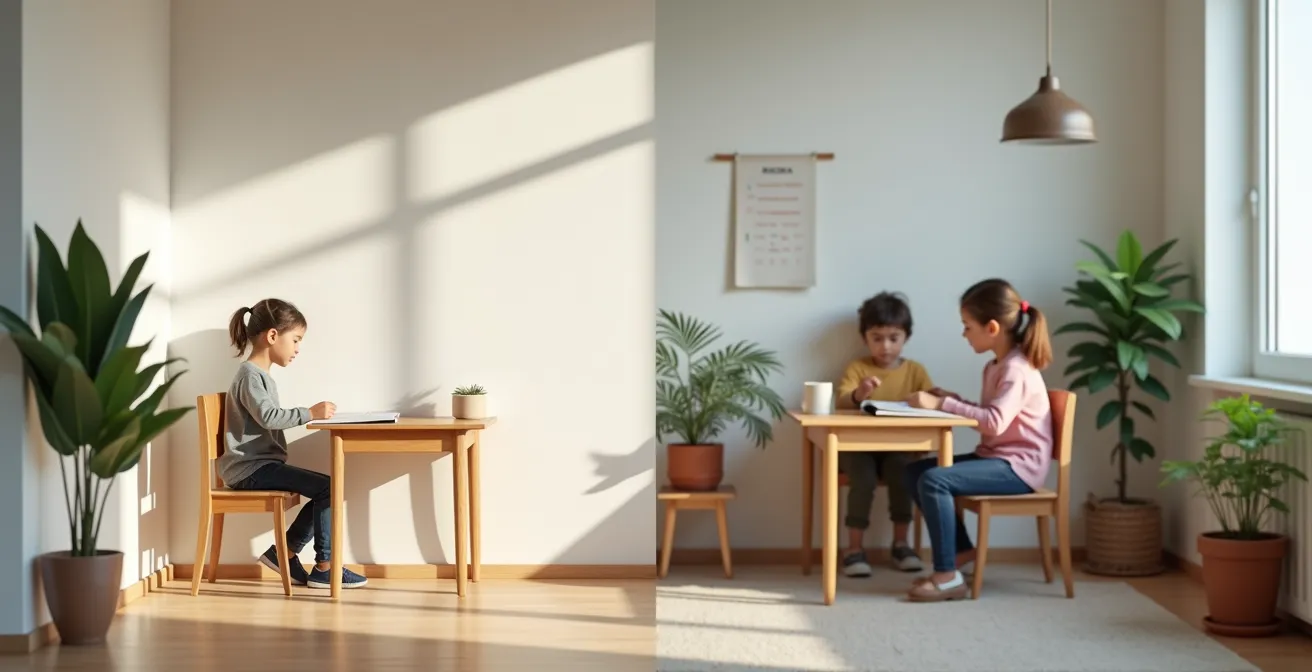
As this image suggests, every student’s learning environment is unique and valid. The goal is not to enforce uniformity but to build trust. Instead of demanding video, start by providing alternatives: using reaction emojis, responding in the chat, or participating via audio only. Research shows that a key to engagement is not forcing one method, but providing diverse options. A survey from Michigan Virtual found that using multiple formats of content was the top strategy reported by virtual teachers for engaging students. By giving students agency over how they appear, you lower their anxiety and build the trust that eventually leads to more cameras turning on voluntarily.
How to Structure Breakout Rooms So Students Actually Collaborate?
The dreaded breakout room silence. You send students into groups expecting a buzz of activity, only to find them staring blankly at each other when you pop in. This happens because breakout rooms are often used as a convenient holding pen rather than an intentionally designed learning experience. Without clear structure, students fall back into passive observation. The key to making them work is not the tool, but the intentional design of the task itself.
First, recognize why they are necessary. The average adult attention span is short, and for teenagers, it’s even more fleeting. Research on attention spans reveals that after about 10-20 minutes of passive listening, the brain needs a reset. Breakout rooms are a powerful way to provide this shift, but only if the cognitive load is managed. An unstructured “discuss this topic” prompt is too vague and creates social anxiety.
To engineer true collaboration, every breakout room needs the “3 Cs”:
- Clear Roles: Assign specific roles before sending them off. For example: a Facilitator (keeps everyone on task), a Timekeeper (watches the clock), a Scribe (takes notes on a shared doc), and a Reporter (shares back to the main group). This immediately eliminates the “who goes first” awkwardness.
- Clear Task: The task must be concrete and produce a tangible output. Instead of “discuss the chapter,” try “find the three most important quotes in the chapter and explain why you chose them in a shared Google Doc.”
- Clear Deliverable: Students must know exactly what they are expected to produce and share when they return. This creates purpose and accountability.
This level of structure removes ambiguity, lowers social barriers, and channels student energy toward the task. It transforms the breakout room from a social minefield into a focused, productive, and genuinely collaborative workspace.
Polls or Whiteboards: Which Tool Generates Faster Formative Assessment?
When it comes to real-time formative assessment, the choice between polls and whiteboards isn’t about which tool is “better,” but which is best for the specific learning goal. Both are excellent for breaking up a lecture, but they serve different assessment purposes. The question isn’t one of speed, but of depth. Polls are for quick temperature checks; whiteboards are for collaborative thinking.
Polls (multiple choice, word cloud, etc.) are unparalleled for fast, low-stakes data collection. In seconds, you can gauge comprehension on a key concept, see if students did the reading, or get a quick opinion. They are private, which reduces the fear of being wrong and encourages participation from more hesitant students. This is a perfect example of a “microlearning experience.” As experts note, this approach is key to maintaining focus.
Active learning strategies can help you break class time into smaller segments that more effectively hold students’ attention… adding quizzes, discussions, and Q&As helps create microlearning experiences where lectures don’t dominate the majority of class time.
– Instructure, 2023 Report on Student Success and Engagement
Digital whiteboards, on the other hand, are designed for seeing the *process* of thinking. They are slower and more public but allow for much deeper assessment. By asking students to collectively brainstorm, sort ideas, or annotate a diagram, you can visualize their thought processes, identify misconceptions, and see how they make connections. It’s a shift from “are they right?” to “how are they thinking?”
Your Action Plan: Real-Time Assessment in Virtual Classes
- Identify Skill: Pinpoint the specific skill students should be able to perform by the end of the session.
- Select Strategy: Choose the active learning tool (poll, whiteboard, annotation) that best allows students to practice that skill.
- Test Run: Always do a quick test of the activity before class, ideally with a colleague, to ensure all tech features are enabled and working as expected.
- Start Simple: Begin with low-stakes, easy-to-use activities to help students get comfortable with the format before moving to more complex tasks.
- Focus on Thinking: Remember the goal is not just for students to *do* something, but for them to actively *think* about what they are doing.
The Chat Setting Oversight That Enables Subtle Cyberbullying
The chatbox can be the vibrant heart of a virtual classroom or a hidden channel for distraction and cruelty. One of the most common oversights teachers make is leaving the chat settings on “Everyone” for the entire session. While this seems to promote open communication, it can inadvertently create opportunities for subtle cyberbullying through private messages or off-topic public chatter that derails the lesson. The key is to see chat settings not as a fixed rule, but as a dynamic tool for managing focus and safety.
Intentionally designing the chat experience is a critical part of building a safe virtual space. This means being deliberate about when students can communicate and with whom. At the beginning of a class, for example, setting the chat to “Host only” allows you to welcome students and share instructions without the distraction of side conversations. You can then open it to “Everyone” for a structured Q&A or brainstorming session, before returning it to “Host only” during direct instruction. This isn’t about control; it’s about creating a predictable rhythm and ritual for communication.
This proactive approach to creating a safe environment is a skill that improves with practice. Research on virtual teaching experience shows that more experienced online teachers tend to use strategies like interactive activities and structured discussions more frequently. They learn to set the tone from the very beginning. A successful virtual classroom establishes psychological safety immediately by warmly welcoming students and inviting anyone with specific accessibility needs to communicate them privately. This simple act demonstrates that the classroom is an inclusive and secure space for everyone.
By managing the chat settings with intention, you are not just preventing negative behavior; you are actively modeling good digital citizenship. You are teaching students that different contexts require different communication styles, a crucial skill in their digital lives.
Problem & Solution: Reviving the “Dead Air” Moments in 90-Minute Lectures
The 90-minute block is a challenge in any setting, but online, it’s a recipe for “dead air” and tuned-out students. The solution is not to talk faster or cram in more content, but to build a predictable rhythm that alternates between different modes of learning. A long virtual session should feel less like a monologue and more like a well-orchestrated symphony with varying tempos and textures.
The core principle is to break the lecture into small, digestible chunks. Never speak for more than 10-15 minutes without shifting the energy. Follow each mini-lecture with a different type of activity. This could be a quick poll, a 5-minute breakout room discussion, a moment for students to write a reflection in a private document, or a collaborative whiteboard brainstorm. These transitions act as mental resets, helping students to re-engage their focus before the next segment of content is introduced.
Don’t be afraid to use non-academic activities to break the silence and reset the room’s energy. Music can be a powerful tool, used as a transition signal between lessons or as a timer for short breaks. Simple “brain reset” activities, like a quick “stand up and stretch,” can do wonders for reviving focus. As PE Teacher David Kober from Illinois has found, even modifying lessons to include student-suggested activities like yoga freeze dance can dramatically increase movement and engagement because it gives students a sense of ownership. He listens to what they enjoy and incorporates it, making participation a choice rather than a chore.
By intentionally planning these shifts in energy—from listening to doing, from individual work to group work, from serious focus to lighthearted movement—you can eliminate the dreaded dead air. You create a dynamic learning environment where students know a change is always just around the corner, keeping them present and active throughout the entire session.
How to Design 5-Minute Modules That Boost Skill Retention by 40%?
The idea of a “5-minute module” is the heart of effective microlearning, but its power isn’t in its length; it’s in its laser focus on managing cognitive load. A great micro-lesson isn’t a shrunken-down version of a long lecture. It’s a purpose-built learning object designed to teach one specific skill or concept as efficiently as possible, without overwhelming the student’s working memory. The 40% boost in retention isn’t a magic number, but a result of this intentional design.
This approach is deeply rooted in established learning science. It’s not about “dumbing down” content, but about presenting it in a way the brain can actually process and retain.
According to Mayer’s Principles of Multimedia Learning (2009), educational content should not overwhelm students, but instead, support learning objectives with clear visuals and stories. Including multimedia components like videos, simulations, and infographics can improve comprehension and memory retention. Clark and Mayer (2016) stress the importance of keeping content relevant and coherent to help students concentrate on the main ideas.
– Mayer & Clark, Principles of Multimedia Learning
So, how do you apply this? A successful 5-minute module follows a simple structure: a hook, the core content, and a check for understanding. The “hook” presents a problem or question. The “core content” delivers the essential information using clear language and a supportive visual (not just decorative clip art). The “check” is a single, quick question or task that allows the student to immediately apply what they’ve learned. This isn’t a quiz; it’s an immediate feedback loop.
Think of it like the most effective educational YouTube videos. They get to the point fast and keep you engaged. In fact, data on educational channels shows that audience retention is critical. An analysis found that videos maintaining a high retention rate early on perform exponentially better. This principle applies directly to the classroom: the first minute of your 5-minute module is the most important for grabbing and holding attention. If you deliver clear value immediately, you earn their focus for the full five minutes.
Key Takeaways
- Lasting engagement is intentionally designed, not accidentally discovered. It’s built on a foundation of clear structures and predictable routines.
- Psychological safety is the non-negotiable prerequisite for student participation. Trust must be earned before cameras are turned on.
- Managing cognitive load with short content bursts and varied activities is more effective than delivering long, monolithic lectures.
Problem & Solution: Writing a Privacy Policy That Users Can Actually Read
While the title mentions “users” and “privacy policies,” in our context as educators, this translates to a crucial, often-overlooked element of classroom management: creating a Classroom Digital Compact. This isn’t a legal document; it’s a clear, student-friendly agreement about how data, video, and communication will be handled in your virtual class. A transparent and readable policy is a powerful tool for building the psychological safety needed for students to engage freely.
Students, especially teenagers, are acutely aware of their digital footprint. They have valid concerns about being recorded, how their work is shared, and who can see their messages. A vague or non-existent policy on these matters creates anxiety and mistrust, leading directly to behaviors like keeping cameras off and staying silent. Addressing this head-on is not a legal chore; it’s a pedagogical necessity. The goal is to demystify the rules and co-create a sense of shared responsibility.
Instead of a dense wall of text, a student-friendly “policy” should be visual, concise, and collaborative. Here are some principles for creating one:
- Create a visual summary: Use a one-page document with icons and simple bullet points to outline the key rules for video, chat, and sharing work.
- Use plain language: Replace technical or legalistic jargon with simple, direct sentences. Instead of “synchronous session recordings,” say “how we use class videos.”
- Co-create with students: Dedicate a few minutes at the start of the year to discuss these rules with students and get their input. When they help create the rules, they are far more likely to respect them.
- Be transparent from day one: Present and discuss the compact at the very beginning of the course. This demonstrates respect for their privacy and establishes your classroom as a safe, predictable space.
By reframing the “privacy policy” as a “digital compact,” you shift the dynamic from one of compliance to one of community. You are not just telling them the rules; you are building the foundation of trust upon which all genuine engagement is built.
How to Prepare Your Tech Startup for GDPR and CCPA Compliance?
This title sounds like it’s for a software company, not a high school teacher. But let’s reframe it with a powerful analogy: think of your virtual classroom as a ‘micro-startup’ and yourself as its responsible leader. Your “users” are your students, and the “product” is their learning experience. In this context, understanding the *principles* behind major data privacy regulations like GDPR isn’t about legal compliance; it’s about ethical teaching and building a trustworthy environment.
At their core, these regulations are built on concepts like data minimization, purpose limitation, and transparency. As a teacher, you can apply these same principles to your choice and use of educational technology. For instance, “data minimization” means you should only use the EdTech tools that are absolutely necessary for your learning objectives, resisting the urge to add new apps just because they are trendy. “Purpose limitation” means that if you record a session for students who were absent, you should not use that same recording for any other purpose without clear consent.
This matters because the widespread adoption of virtual learning platforms has made technology a foundational part of education. Students and parents are increasingly aware of data privacy, and how you handle it directly impacts their trust in you. In fact, a recent report found that a staggering 82% of students, faculty, and administrators believe access to technology has a large impact on student engagement. That engagement is either helped or hindered by the level of trust students have in how that technology is being used.
By acting as a responsible steward of student data—being transparent about the tools you use, why you use them, and how you protect student information—you are doing more than just modeling good digital citizenship. You are actively building the psychological safety that makes students feel secure enough to participate, ask questions, and be their authentic selves in your classroom.
Frequently Asked Questions About Student Engagement and Privacy
How can I maintain privacy during video sessions?
To maintain privacy during online class sessions, you can utilize features like virtual backgrounds, or choose to participate with your camera off when permitted. Many platforms, like Zoom, also have specific security resources that allow hosts to control who can record or share their screen, adding another layer of protection.
What factors should be considered for inclusive participation?
Inclusive participation goes beyond just turning on a camera. Key factors include ensuring students have access to reliable technology and a quiet space to work, considering students’ physical and mental abilities, and being flexible with timing. Making online learning accessible for all students means offering multiple ways to contribute, whether through chat, polls, or audio.
How can recordings be used ethically?
Ethical use of class recordings hinges on transparency. Recordings should only be used for the specific purpose stated at the outset, such as for student review of a missed class. It is crucial to communicate clearly with students about where recordings are stored, who has access to them, and how long they will be kept.